> For the complete documentation index, see [llms.txt](https://docs.hahacoinastar.com/llms.txt). Markdown versions of documentation pages are available by appending `.md` to page URLs; this page is available as [Markdown](https://docs.hahacoinastar.com/how-to-buy/bridge-to-zkevm.md).
# Bridge to zkEVM
Please note that $HAHA is an Astar zkEVM token. zkEVM is an Ethereum Layer 2 solution requiring ETH for gas and fees.
## Bridge ETH & ASTR to zkEVM
### 1. Purchase on Exchange
If you do not already have $ETH on zkEVM you will need to purchase both $ETH and $ASTR from a centralised exchange. If you already have $ETH on zkEVM, it is more cost effective to buy $ASTR and swap it to $ETH once on zkEVM.
The rest of this guide will assume you do not have $ETH already on zkEVM.
### 2. Remove Tokens from Exchange
Send $ETH directly to an EVM wallet (ex: Metamask). $ASTR will need to be sent to a substrate wallet (ex: polkadot.js, Nova, Talisman, SubWallet, etc...).
Note: CEX trade substrate $ASTR, not EVM $ASTR. If you are purchasing from a DEX, be sure to confirm which $ASTR you are trading (subtrate or EVM).
### 3. Send ASTR to EVM Wallet
Go to the Astar Portal - and select Astar (L1), then click the blue "Select Wallet" button.
Connect to Astar L1
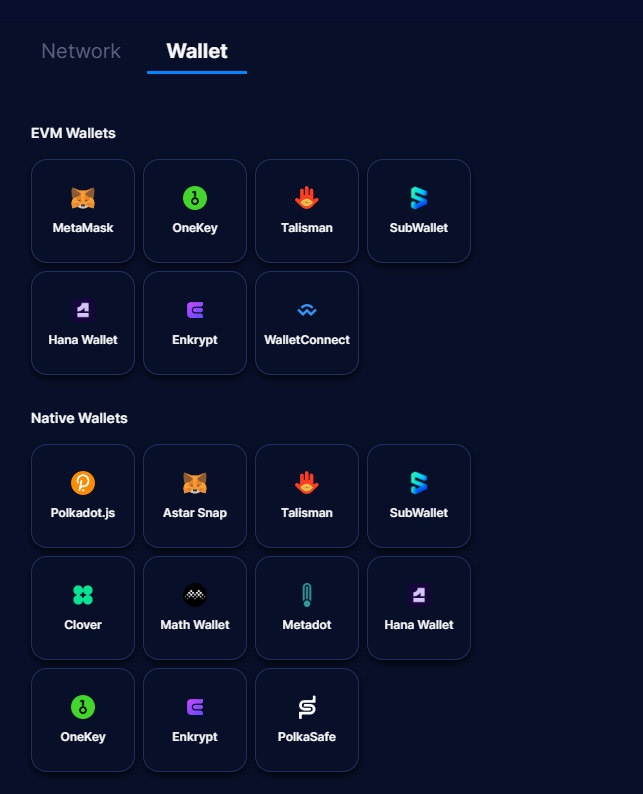
Choose your wallet from the list of wallets under the "Native Wallets" heading.
Choose native (substrate) wallet
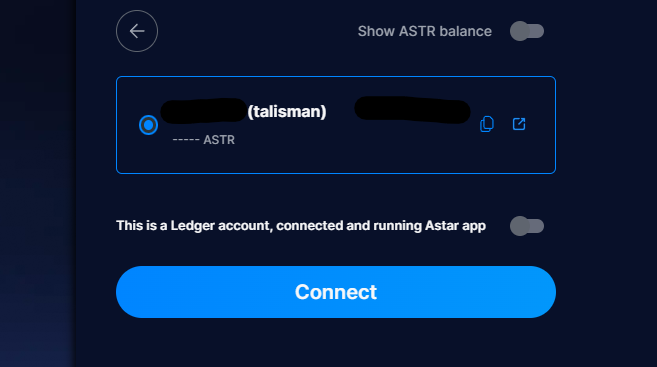
Select the wallet you sent $ASTR to in step 2 and click the blue "Connect" button.
Connect wallet
In the $ASTR token's Transferable section, click on the blue arrow.
Choose ASTR
Your connected substrate wallet will auto-populate in the "From" field. Enter your EVM wallet address is the "To" field.
***Note: Make sure this is the same wallet address that holds your $ETH.***
ASTR will be auto-populated in the token dropdown, to the right, enter the amount of $ASTR you wish to transfer from your substrate wallet to your EVM wallet.
Note: Do not transfer the entire balance. You will need to leave a minimum of 0.000000000001 ASTR in your substrate wallet to fulfil the Astar Network's Existential Deposit.
Choose an appropriate transaction speed, check the warning box, and click the blue "Confirm" button.
Transfer substrate ASTR to EVM ASTR
Agree and confirm transaction in wallet to finalize the transfer.
### 4. Bridge ETH to zkEVM
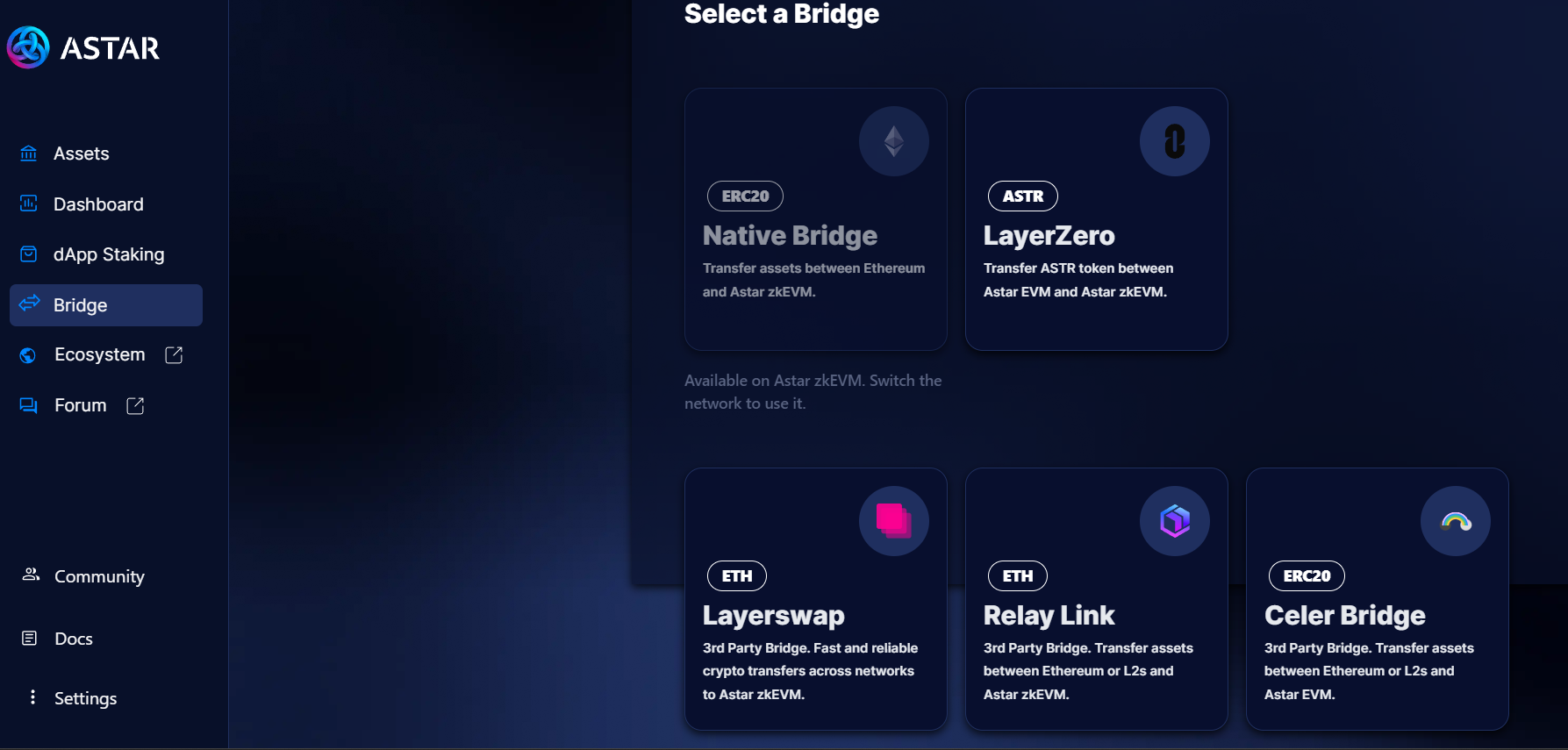
A list of bridges is available at . As of this writing, Relay is the least expensive and will be use in this example.
Select "Bridge" from the left-hand menu, then click on the "Relay Link" bridge.
Alternatively, go directly to the Relay bridge site -
Note that Relay is a third party app and not related to Astar Network.
Bridges to Astar zkEVM
Connect your wallet, double check From Ethereum To Astar zkEVM, enter the amount of $ETH you would like to bridge and click the purple "Connect" button.
Bridge ETH to Astar zkEVM on Relay
Agree and confirm transaction in wallet to finalize the bridge transfer.
### 5. Bridge ASTR to zkEVM
A list of bridges is available at .
Select "Bridge" from the left-hand menu, then click on the "LayerZero" bridge. \
\
Alternatively, go directly to the Stargate bridge site - .
Bridges to Astar zkEVM
Double check that that ASTR token and Network populate the "From" fields and ASTR and Astar zkEVM populate for the "To" fields.
Enter the amount of EVM $ASTR to be bridged to zkEVM $ASTR and click the "Transfer" button.
Note: Fees as of this writing are roughly 5 or 6 ASTR. Please leave at least 10 EVM $ASTR unbridged to pay bridge fees.
Astar zkEVM bridge
Agree and confirm transaction in wallet to finalize the bridge transfer.